
 Client Drop
Collect files and signatures in one client checklist. Staff see what’s missing, guide clients through corrections, and share finished documents from the same workspace.
- Status
- Publicly deployed
- Who it serves
- Professional practices and teams that collect client paperwork
- Platform
- Staff web workspace and browser-based client access
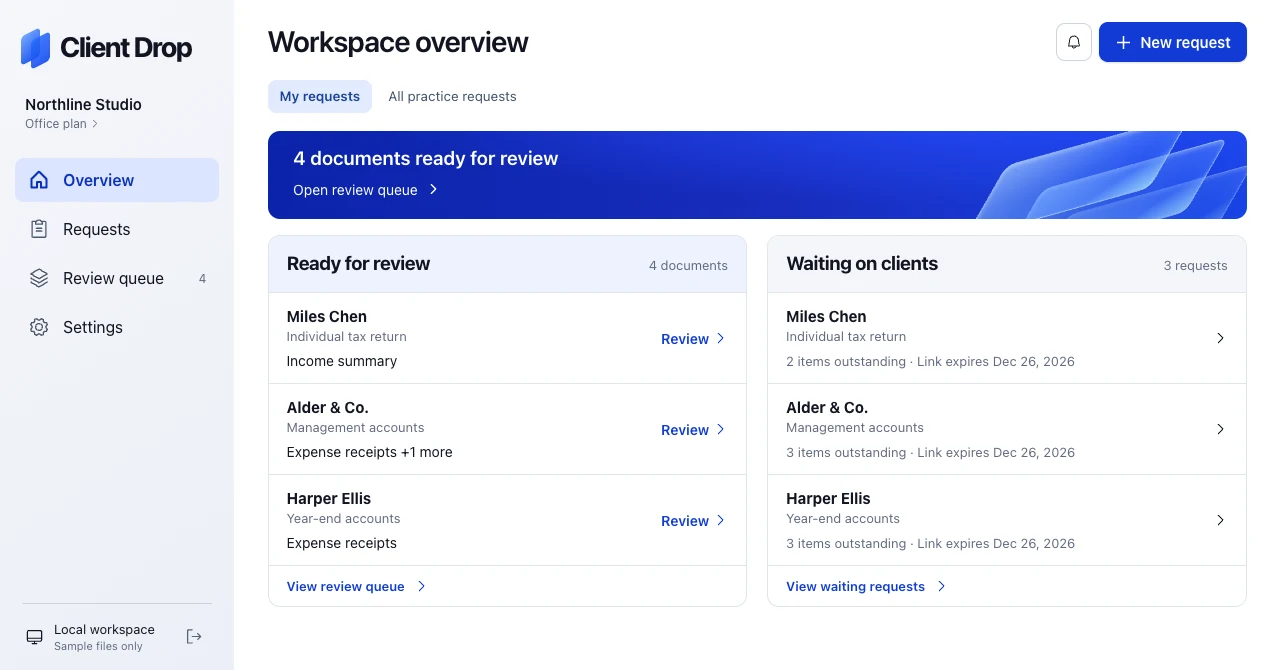
See what’s still missing from the client packet
An intake packet can arrive across several emails, with multiple copies of a form and a signature still outstanding. Staff need a clear record of what the client sent, which version they accepted, and what they are still waiting for.
Example workflow
Collect, correct, and sign an intake packet
- Add the documents you need to a checklist and place signature, initials, and date fields on an engagement PDF. Send a private link with an expiry date.
- The client uploads each file against its checklist item and follows the prompts to sign the PDF from the same link.
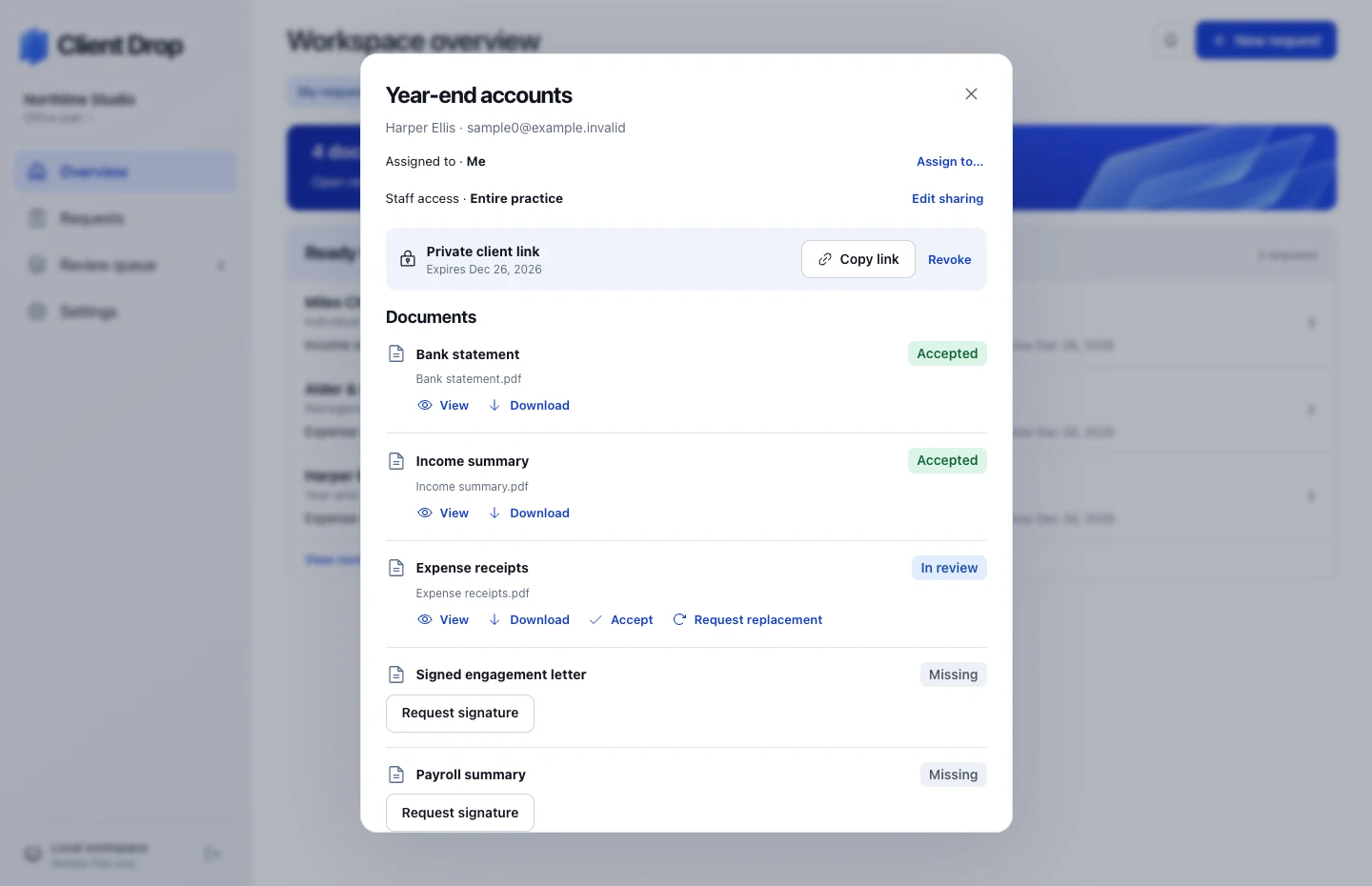
- Preview an upload, accept it, or ask for a replacement with specific instructions. Reminders cover the items that still need action.
- Download the signed PDF and completion evidence. If the optional portal is enabled, share finished documents in the client’s library.
Bedrock Group’s work
Bedrock Group built the staff workspace, private client checklist, PDF signing flow, and optional client portal. The same request ties together incoming files, review decisions, replacements, and signing evidence so staff can pick up an intake where a colleague left off.
Intake links and reminders
Staff set how long the checklist link stays active and can require an access code shared separately. They can revoke or renew access from the request, set a reminder cadence for outstanding items, and receive a completion notification.
File review and corrections
Staff preview or download the current upload, accept it, or tell the client what a replacement needs to include. The request history shows when the file arrived, what staff decided, and whether the client still needs to act.
Guided PDF signing and evidence
Staff place fields on the PDF. The signer can draw a signature or choose a handwriting style, then complete required initials, dates, and consent. Staff can download the original and signed PDFs, a signing activity record, and a Certificate of Completion for new completions.
Finished documents and request history
The optional client portal gives an invited client access to a library of finished documents and their request history. Clients can preview or download shared documents. Staff manage the files and can revoke access from the client record.
Practice access and handoffs
Office staff can assign or hand off a request when someone else takes over. The requester or practice owner can share a request with selected colleagues or, where appropriate, the whole practice. The next person can see what’s complete and what still needs follow-up.
