Clock Deck
Schedule crews and review timesheets on the web. Employees see their shifts, clock in at the job site, and record breaks in the Clock Deck mobile app. Approved hours are ready for payroll.


- Status
- Commercially available
- Who it serves
- Hourly teams, supervisors, and payroll firms
- Platform
- Web dashboard, iPhone, and Android
From a field shift to payroll
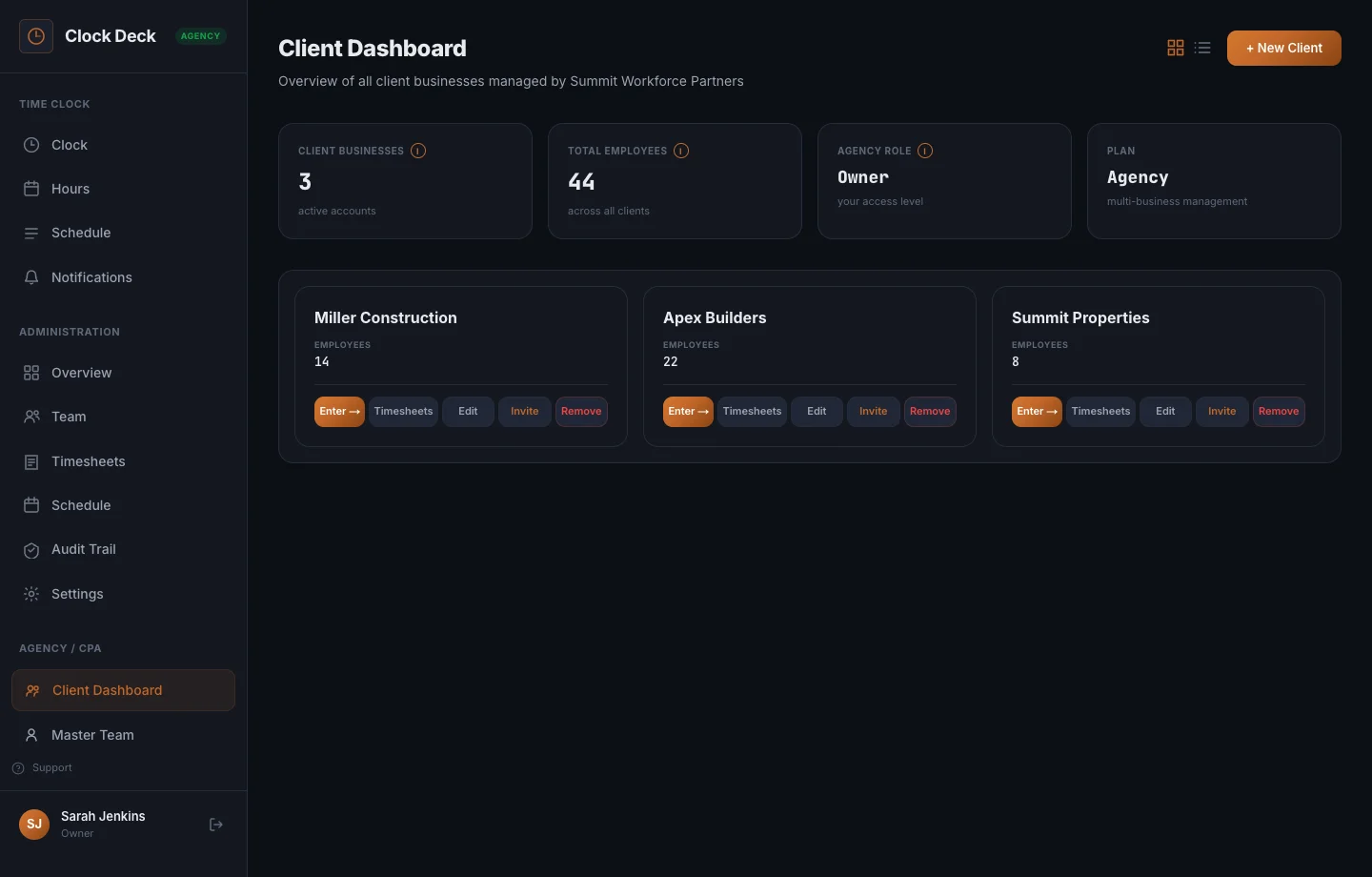
Crews may start a shift at a job site without a reliable signal. Supervisors still need to know who is working and review the time before it goes to payroll. Agencies have to repeat that process across several client businesses and keep their accounts and staff access distinct.
Example workflow
Take a scheduled job-site shift through payroll review
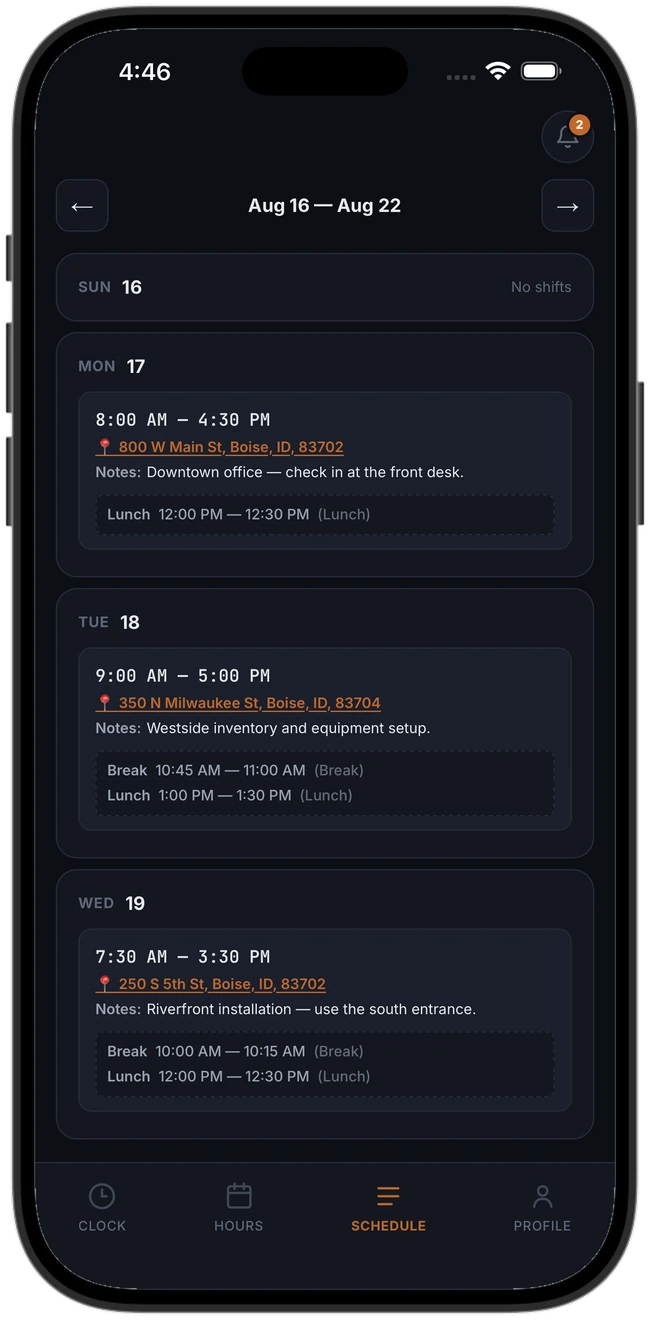
- Assign the shift with the job location and publish the schedule so the employee sees it in the app.
- The employee clocks in, records breaks, and clocks out. If connectivity drops, time events sync when the device reconnects.
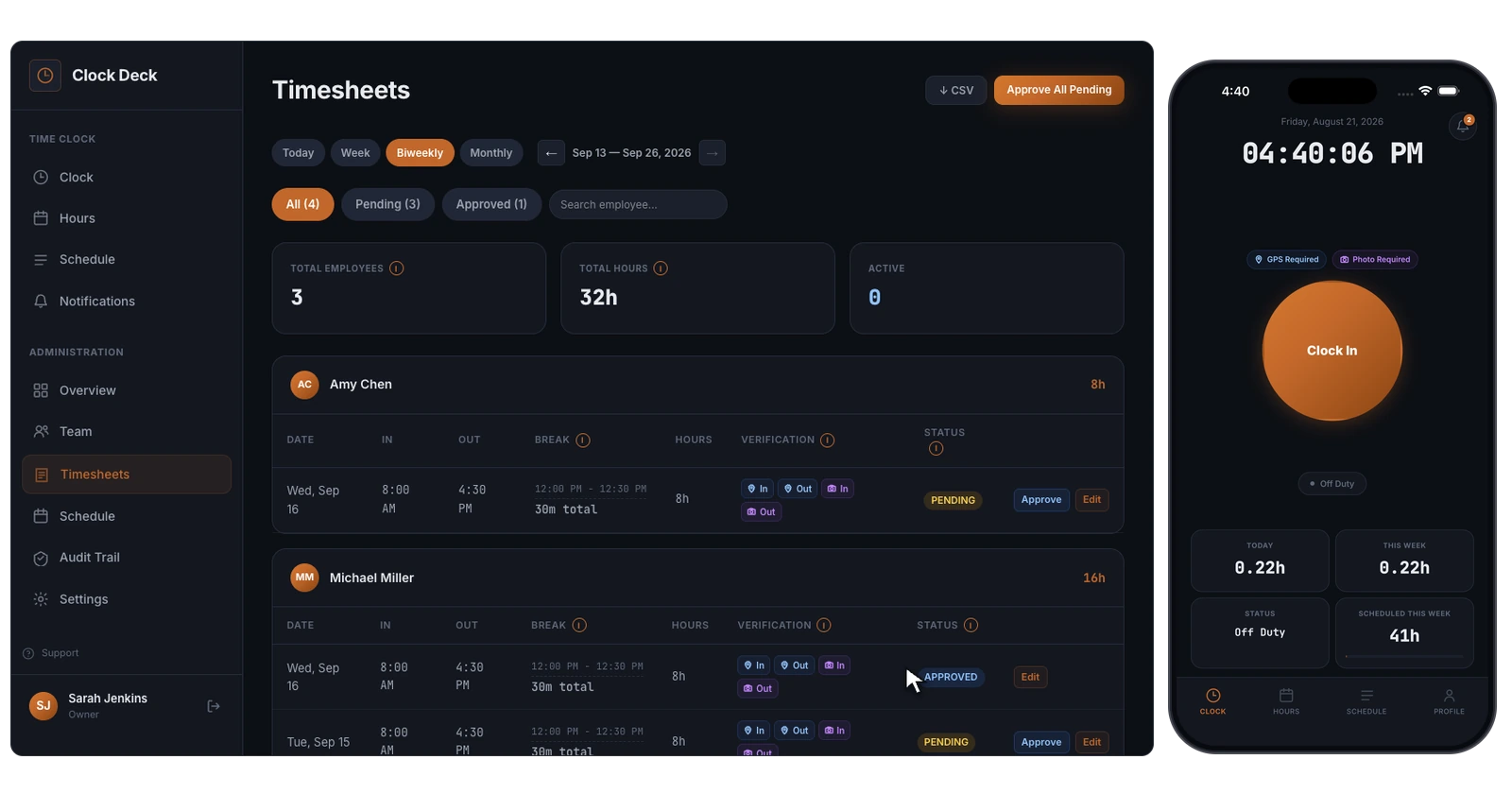
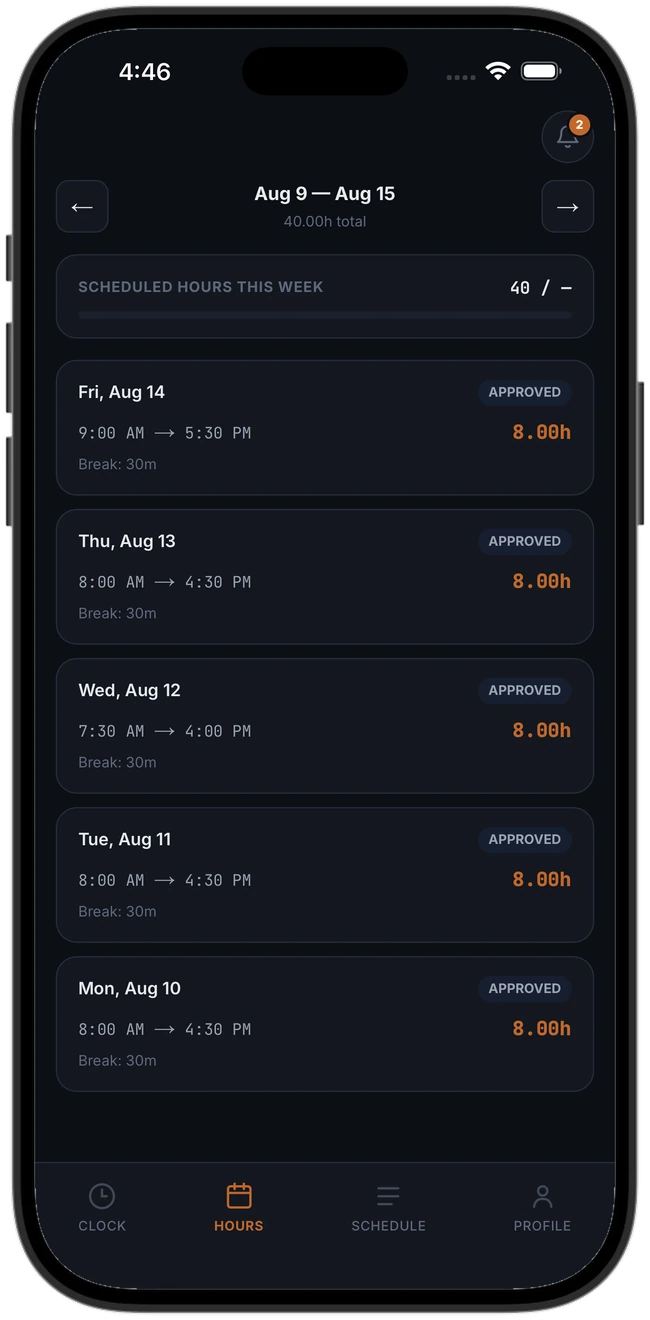
- Review hours and any edits or available verification, approve the pay period’s timesheet, and export the hours for payroll.
Clock Deck on the job site
Bedrock Group’s work
Bedrock Group built the employee apps, the employer dashboard, and the agency workspace. An employee’s recorded shift carries through to supervisor review, where staff can see the edit history and export approved hours for payroll.
Team management and payroll preparation
Employers can invite staff, assign roles and hourly rates, notify employees when shifts are published, and check live attendance and overtime alerts. Managers approve and export timesheets by pay period. The audit trail preserves the original and edited values and the reason for each edit.
Mobile timekeeping and field verification
Employees can check shift details and job-site directions, record breaks, and clock in offline on iPhone or Android. Employers can require GPS or a photo for eligible clock events. Geofencing, advanced overtime rules, and QuickBooks integration depend on the plan.
Multi-company access for agencies
Payroll providers, bookkeepers, and staffing firms can switch between managed client companies from an agency dashboard, assign staff to authorized accounts, and review and export each client’s time records.