
 Vaultline
An encrypted vault for developers to organize API keys, tokens, and other project credentials, with reviewed environment-file import.

- Status
- Available on the App Store
- Who it serves
- Developers and technical operators who manage project credentials
- Platform
- iPhone and iPad
Keep project credentials in an encrypted vault
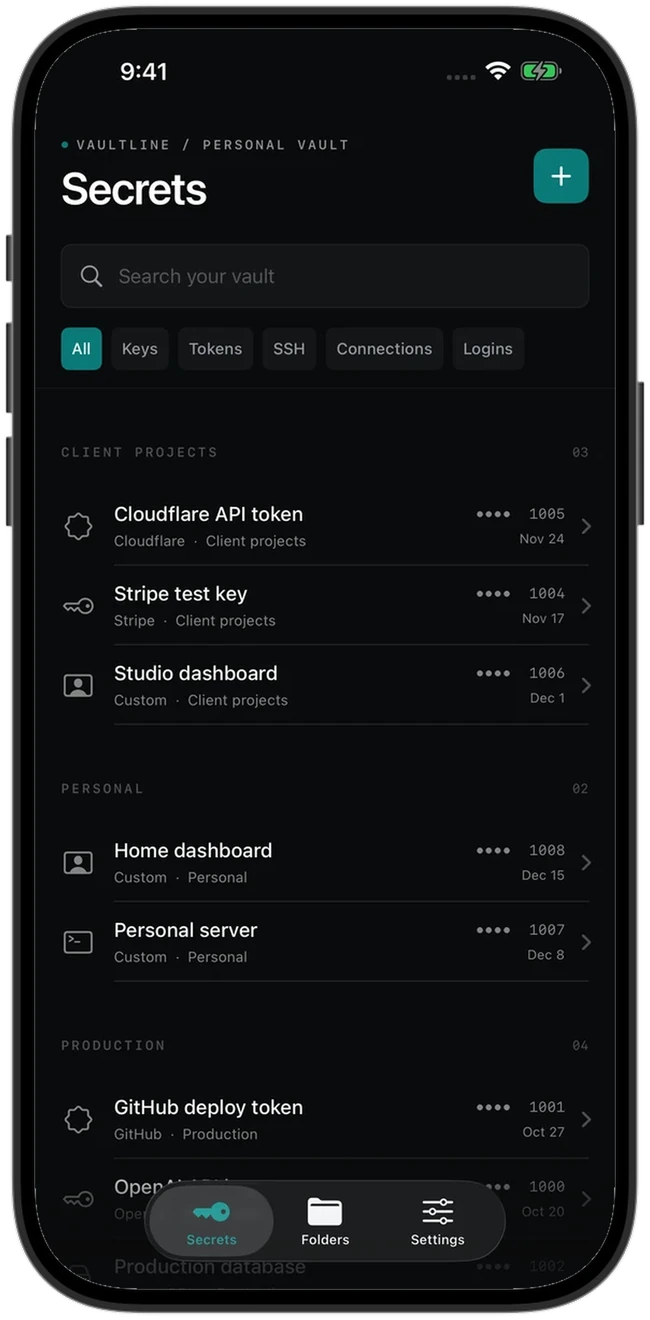
API keys and connection details often come from different tools and are easy to lose track of across projects. Vaultline gives developers one searchable place to store them, remember what each credential is for, and bring it into use when needed.
Example workflow
Bring a project’s environment variables into the vault
- Open an environment file, paste its variables, or send it to Vaultline from the iOS share sheet.
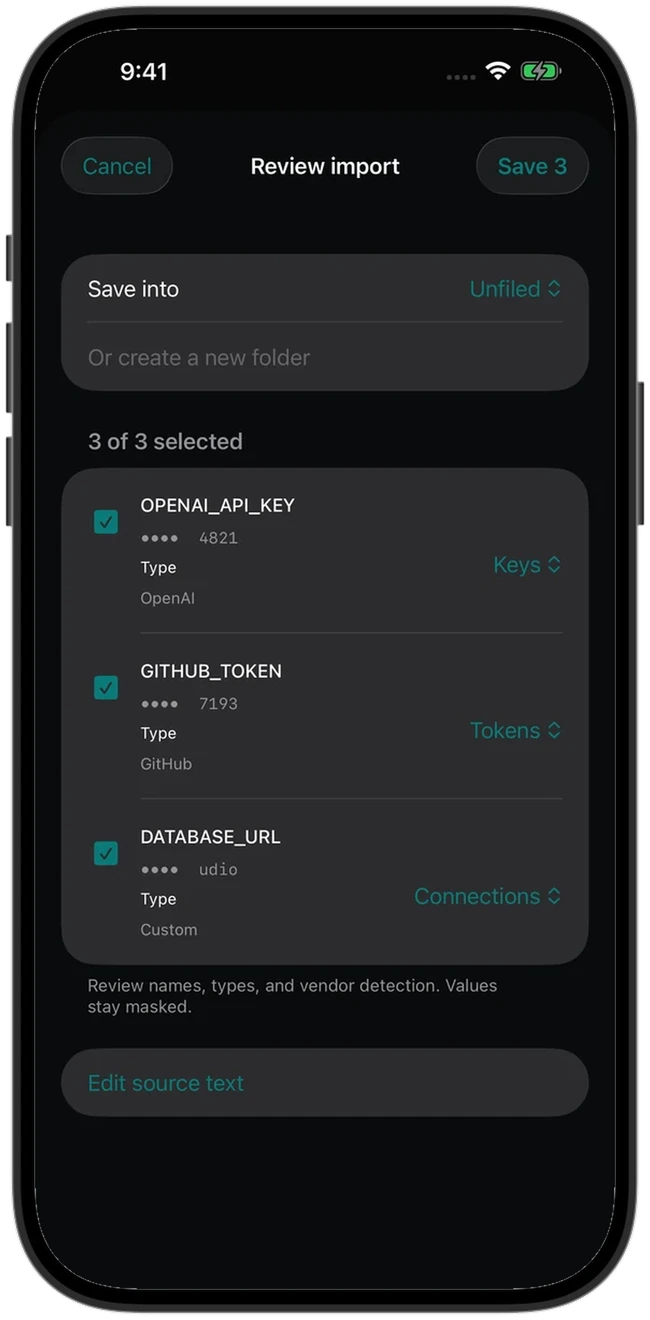
- Review the detected entries with their values masked. Select what to keep and confirm the destination folder.
- Find the credential by project or vendor, authenticate to reveal it, and copy it with a clipboard expiry.
Bedrock Group’s work
Bedrock Group built and released Vaultline for iPhone and iPad. The app covers importing and organizing credentials, unlocking and copying them when needed, and keeping an optional encrypted backup.
On-device encryption and controlled access
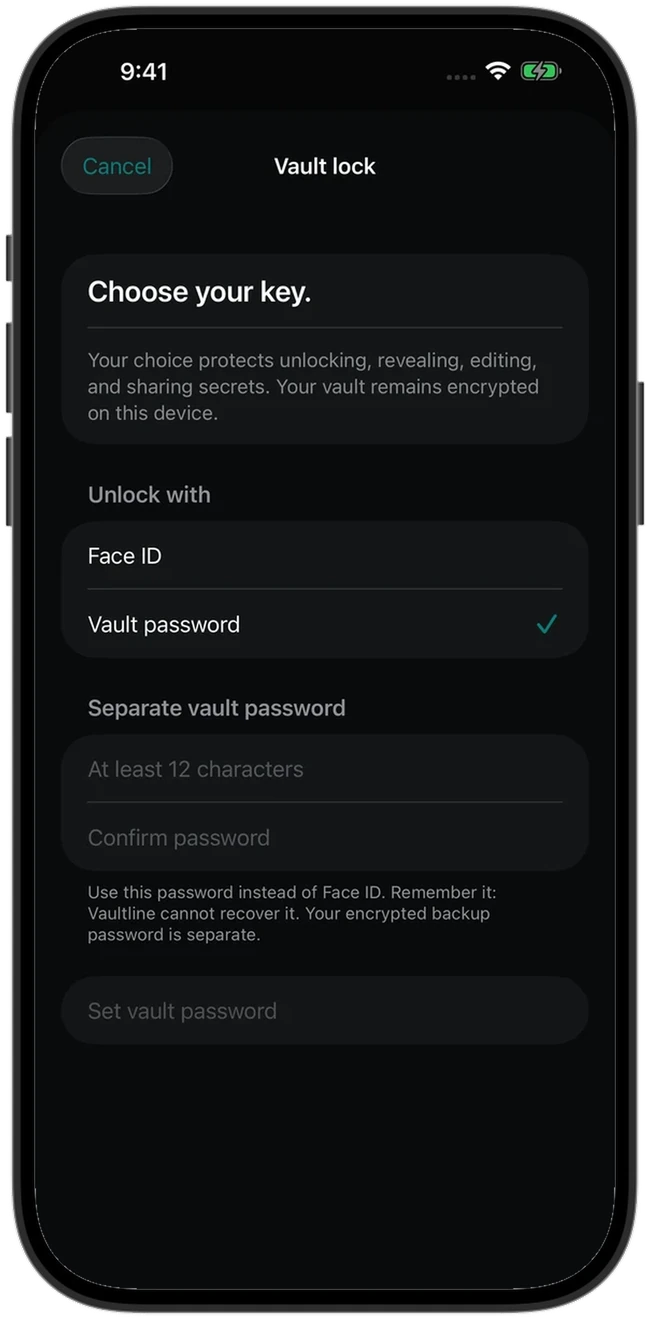
Vaultline encrypts stored records. Choose device authentication or a separate vault password to unlock the vault and reveal values. The clipboard copy can expire automatically.
Import with a review step
Paste variables, open an environment file, or share it from another app. Vaultline masks values during import review so you can check the names and choose which entries to save.
Optional sync, backup, and rotation reminders
Pro adds unlimited entries, reminders to rotate expiring credentials, and password-protected encrypted exports. Users can choose to enable encrypted iCloud sync.